
May 15, 2026
How to Take a Photo That Actually Helps CANIQO Read Your Dog Accurately
Lighting, angle, and pose make a real difference in what the AI can see. Here is how to capture a photo that gives you the cleanest read on your dog's health.
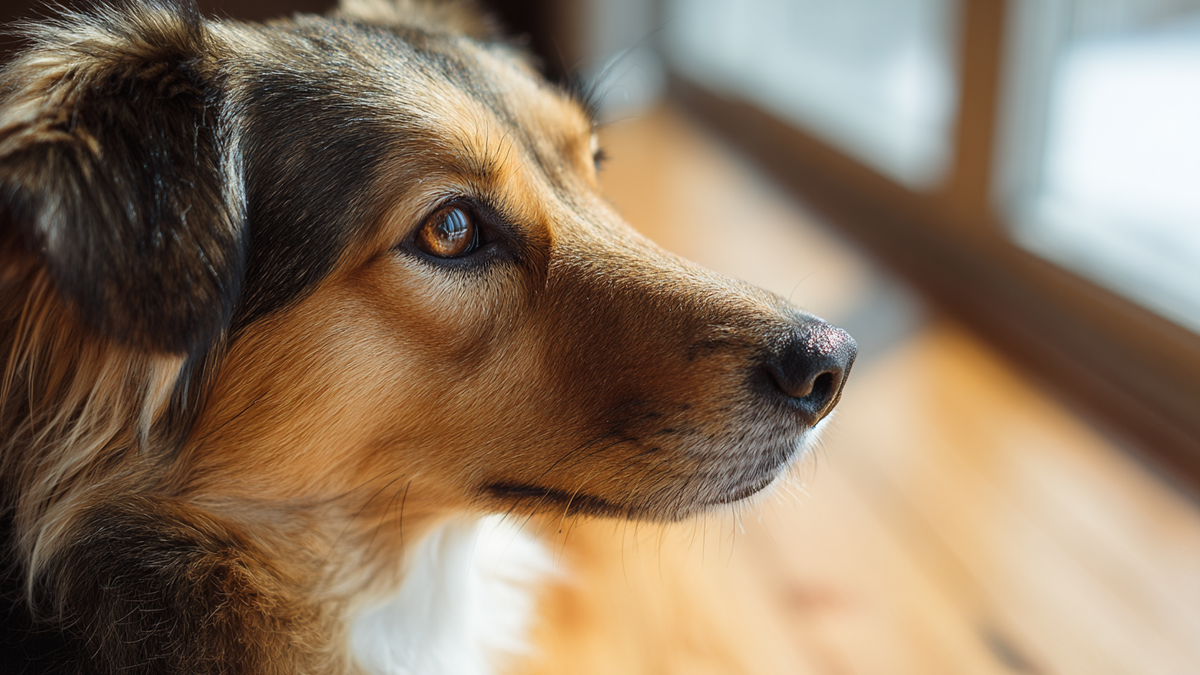
The CANIQO AI works from what is visible in the photo you upload. That sounds obvious, but it has a real practical implication. The quality of your photo directly affects the quality of the read. A great photo gives the AI more to work with. A poor photo can produce a score that reflects the photo more than the dog.
This is not about being a photographer. It is about understanding what the AI is actually looking at, and setting up the image so those things are clearly visible. A few small adjustments can make a meaningful difference in the consistency of your scans over time.
Why Photo Quality Matters
The AI analyzes specific regions of your dog. The eyes, the coat, posture, body condition, and facial cues. Each of those regions has to be clearly visible for the analysis to be accurate. A photo where your dog's eyes are in shadow, or where the coat is partially obscured by motion blur, gives the AI less reliable information to work from.
The other reason photo quality matters is trend consistency. The health score becomes most useful over time, when you have several scans to compare. If your photos vary wildly in lighting, angle, and pose, the trend line picks up noise from the photos themselves, not just from your dog. Consistent photo conditions produce a cleaner, more meaningful trend.
Lighting Is the Single Biggest Factor
Natural daylight is the gold standard. Indirect daylight from a window, or outdoor light on an overcast day, gives the most even and accurate read. Direct sunlight is actually worse than overcast, because it creates harsh shadows and washes out detail.
Avoid backlighting, where the light source is behind your dog. This is one of the most common mistakes. A dog photographed against a bright window will appear too dark in the photo, and the AI loses detail in the coat and face.
Avoid yellow indoor lighting when possible. Standard household bulbs cast a warm tint that can shift the apparent color of your dog's coat and eyes. If you have to shoot indoors at night, move to the brightest room you have and use as much overhead light as possible.
Avoid flash. It flattens texture, creates red eye, and produces a harsh look that does not reflect what your dog actually looks like.
Angle and Distance
The most useful angle is a side profile, taken at your dog's eye level. Get down to their height rather than shooting from above. A photo taken from standing height distorts proportions and makes body condition harder to assess.
The full body should be visible in the frame, with a little space around the edges. Cropping too tight cuts off context the AI uses to evaluate posture and proportions. Cropping too loose makes the dog small in the frame and reduces the detail available for analysis.
Distance matters too. Phone cameras do best at roughly four to six feet from the subject. Closer than that introduces lens distortion, especially on wide-angle phone lenses. Farther than that loses detail.
Pose
You want your dog standing naturally, weight evenly distributed across all four legs, looking forward or slightly toward the camera. This is the pose that gives the AI the most usable information about posture and body condition.
A dog sitting is the second best option. A dog lying down is the least useful, because it hides body proportions and obscures posture entirely. You can still scan a lying dog if that is the only photo you have, but expect the read to be less precise.
Try to capture your dog when they are calm. A dog that is mid-pant from exercise, mid-shake after a bath, or mid-yawn will look different than their actual baseline. Wait a minute or two after activity before taking the photo.
Coat Condition Tips
If your dog has just been brushed, the coat will read at its best. If they have just come in from rolling in dirt, the read will reflect the dirt more than the actual coat. Neither is wrong, but consistency matters. Try to scan in similar coat conditions each time.
Wet coats produce inaccurate reads. The water mats the fur and changes how light reflects off it. Wait until your dog is fully dry before scanning. If you scan a damp dog and the score drops, the score is responding to the moisture, not to your dog.
Eyes Need to Be Open and Visible
Eyes are one of the most information-dense regions in the analysis. A photo where your dog is mid-blink, looking away, or in shadow loses that data. Try to capture an image where both eyes are open and you can see them clearly.
Dogs with hair covering their eyes, like some terriers and sheepdogs, benefit from a quick brush or a clip back of the facial hair before scanning. The AI cannot read through fur.
Building a Consistent Routine
Pick a spot in your home that has good natural light. Use it as your regular scan location. Shoot from the same angle and distance each time. Try to scan at roughly the same time of day, when your dog is at a similar energy level.
This is the single biggest thing you can do to make the trend line meaningful. Same room, same light, same angle, similar pose. Variations in your dog will then show up clearly, because the photo conditions are not changing around them.
The Quick Checklist
Before you upload a photo, run through this. Natural light or bright indirect indoor light. No backlighting. Side profile or front-facing at eye level. Full body in frame with some space around it. Dog standing or sitting, calm and dry. Eyes open and visible. About four to six feet of distance.
If most of those are true, the AI has what it needs.
When It Is Worth Reshooting
If your score comes back lower than expected and the photo conditions were not ideal, reshoot before reading too much into the result. A second photo under better conditions will tell you whether the original score reflected your dog or the photo. If the second score is similar, the signal is real. If the second score is meaningfully higher, the original was likely noise.
Trend over time is still the most reliable read. But for any individual scan, photo quality determines how much you can trust the number.
Try a clean scan at caniqo.com and see how much sharper the analysis gets when the photo conditions are working with you instead of against you.
See what your dog can't tell you.